옵시디언_CSS 수정
수정내역
- 옵시디언에 AnuPpuccin 외형 적용 후 CSS 수정
- Custom Rainbow Folder Colors / Themes Extended CSS 추가 설치해서 세부 조정
1번째 스타일
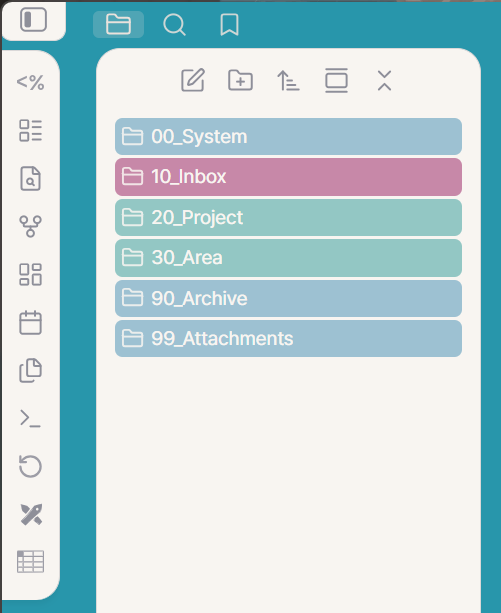
2번째 스타일 : 1번째 스타일이 너무 밝고 내 느낌과 맞지 않아서 수정함
> 아래 이탤릭체로 된 부분 추가 수정, 외형 카테고리에서 ‘Dark’모드
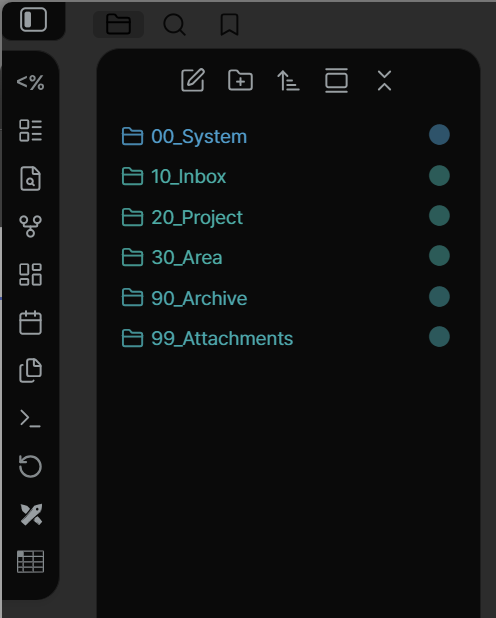
AnuPpuccin 조정값 상세(Reddit Sea-Mouse4819 내용 참고)
Then get the plugin “Style Settings”, and change the settings to what is below.
Colors
Light Theme Flavor: Rose Pine
Light Theme Accent: Lavender
Force Custom Accents: On
Color Overrides
Mauve: #B4799B
Red: #B25A89
Maroon: #C76777
Peach: #E8A687
Yellow: #EBC475
Green: #64BE82
Teal: #68B4B1
Sky: #76ABC5
Sapphire: #5980BF
Blue: #6F72C0
Lavender: #907AA9
Base: #F8F5F1
Mantle: #F1EAE4
Crust: #EAE2DC
File Editor & Markdown Elements
Active Line Highlight: Highlight
Callouts
Callout Style: Sleek
Enable Custom Callout Colors: On
Callout Radius: 7
Callout Title Padding: 8px
Callout Title Background Opacity: 0.2
Callout Content Padding: 15px
Checkboxes
Enable Custom Checkboxes: On
Enable Speech Bubbles: On
Lists
Enable List Styling: On
List Indent: 2.5
Unordered List Bullet Color: #907AA9
Tables
Enable Table Syling: On
Enable Custom Table Width: On
Center Tables: On
<th> Highlight: On
<td> Highlight: Alternate Rows
Highlight Opacity: 0.4
Tags
Tag Border Width: 1
Tag Radius: 0.7
File Preview
Enable Custom Preview Margins: On
Preview Width: 100%
Typography
Font Weights
Bold Weight: Bold
Live Preview Mode Weight: Light
Reading Mode Weight: Light
Source Mode Weight: Light
Headings
Enable Custom Heading Colors: On
Inherit Divider Color from Heading Color: On
H1
H1 Color: Red H1 Divider: On
H2
H2 Color: Peach
H3
H3 Color: Yellow
H4
H4 Color: Green
H5
H5 Color: Teal
H6
H6 Color: Lavender
Workspace
Enable Colorful Frame(WIP): On
Colorful Frame
Custom Colorful Frame Color: Dark (2C2C2C)
Rainbow Folders
Rainbow Style: Full
Status Bar
Status Bar Style: Fixed
Tabs
Custom Tab Height: 32
Workspace Layout
Workspace Layout Variant: Cards
Card Layout Settings
Enable Shadows: On
Enable Card Format for Actions: On
Enable Card Format for File Browser: On